Threadcal
Every calendar, perfectly aligned.
A calendar synchronization tool that keeps busy time aligned across multiple Google Calendar accounts — with per-rule privacy controls that decide exactly how much detail crosses each account boundary.
The Problem
Anyone juggling a work calendar, a personal account, and a client workspace knows the failure mode: each Google Calendar only sees its own events, so meetings get booked over each other. The usual fixes are worse — sharing calendars outright leaks private details across accounts, and manually copying busy blocks never survives a real week.
The Solution
Threadcal connects all of your Google accounts and mirrors busy time between them automatically. Each sync rule decides how much information crosses the boundary — a plain blocked slot, title only, or full details — so a client calendar can show you're busy without revealing why. Sync runs every five minutes plus on demand, mirrored events never send invitations, and loop prevention keeps copies from cascading.
5 min
Automatic sync cadence
3
Privacy levels per rule
0
Double-bookings
AES-GCM
Token encryption at rest
Inside the product
The logged-in app — real screenshots of the workspace where accounts connect and sync rules do their work.
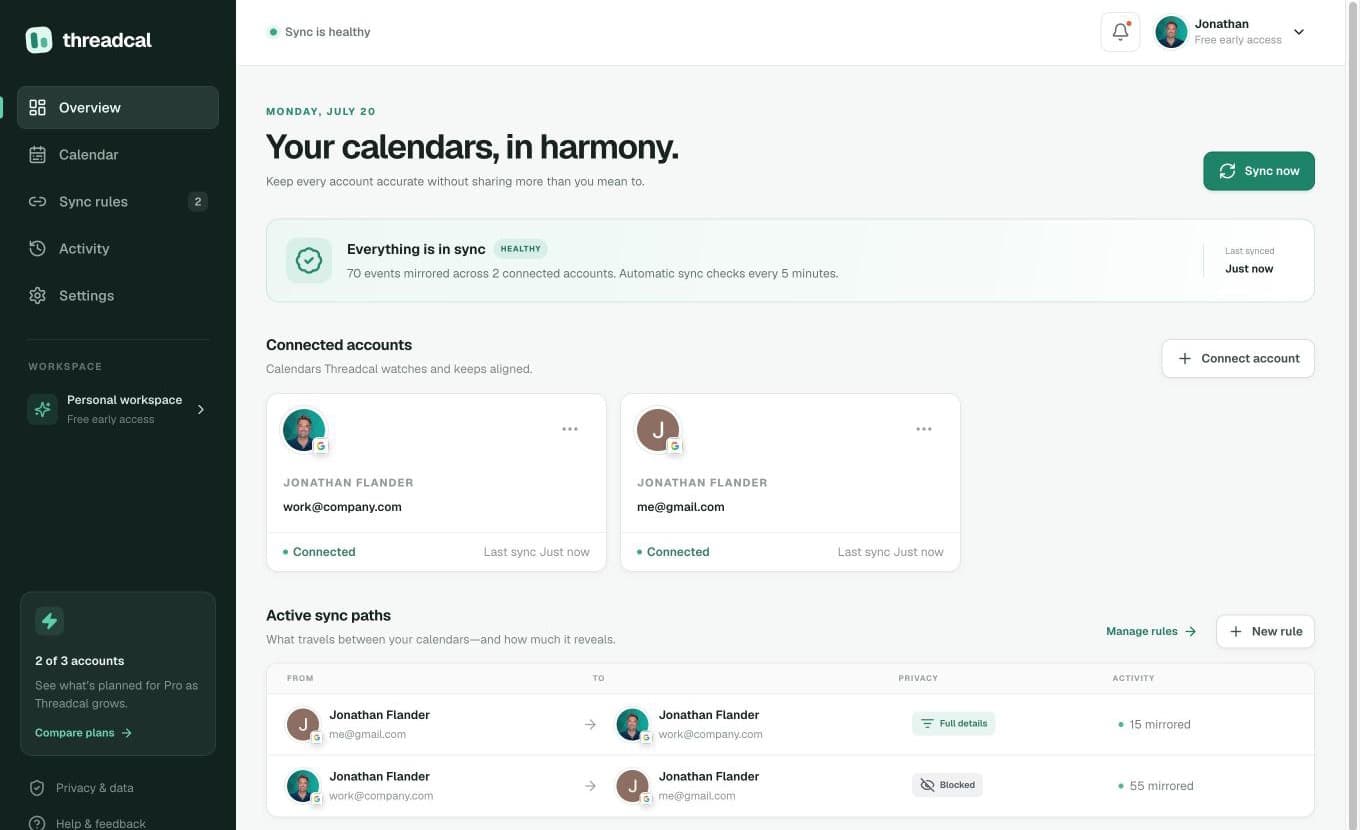
The overview — connected accounts at a glance, and every active sync path with its privacy level and live mirror count.
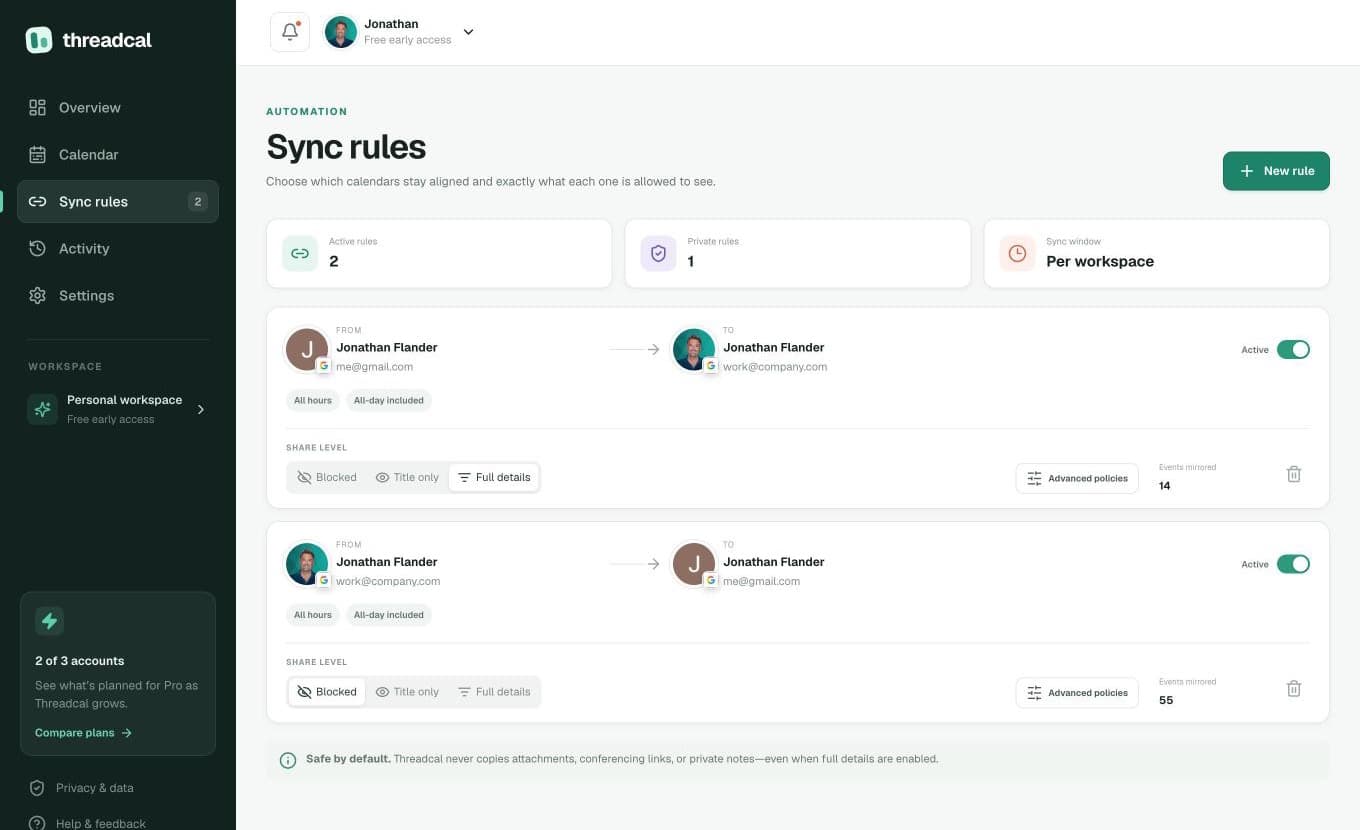
Sync rules — each direction picks its own share level: Blocked, Title only, or Full details. Safe by default: attachments, conferencing links, and private notes never travel.
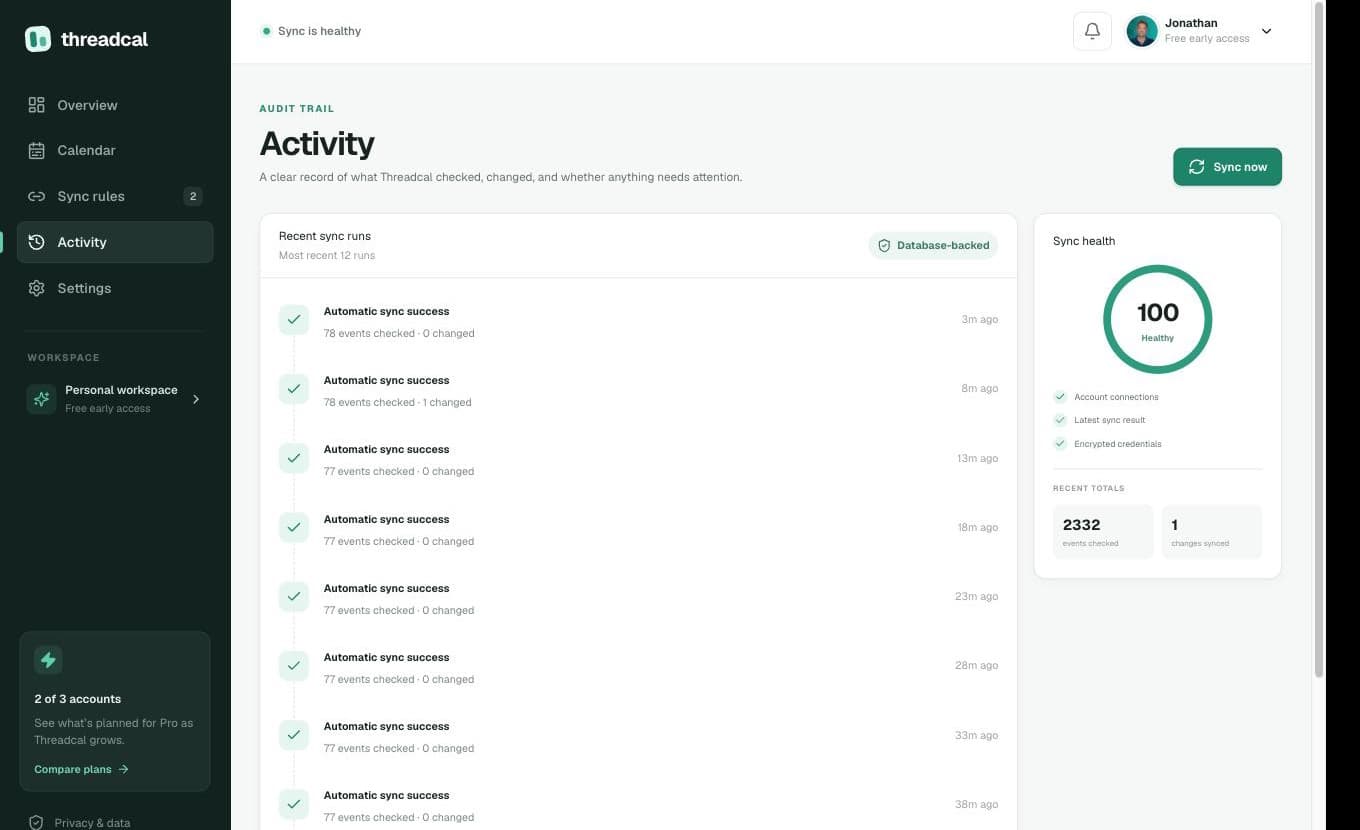
The audit trail — every sync run recorded, with a live health score. Here: a perfect 100, thousands of events checked, and every run green.
Stop calendar conflicts before they start.
Live at threadcal.com — connect your accounts, choose how much each calendar is allowed to see, and let Threadcal keep everything aligned.
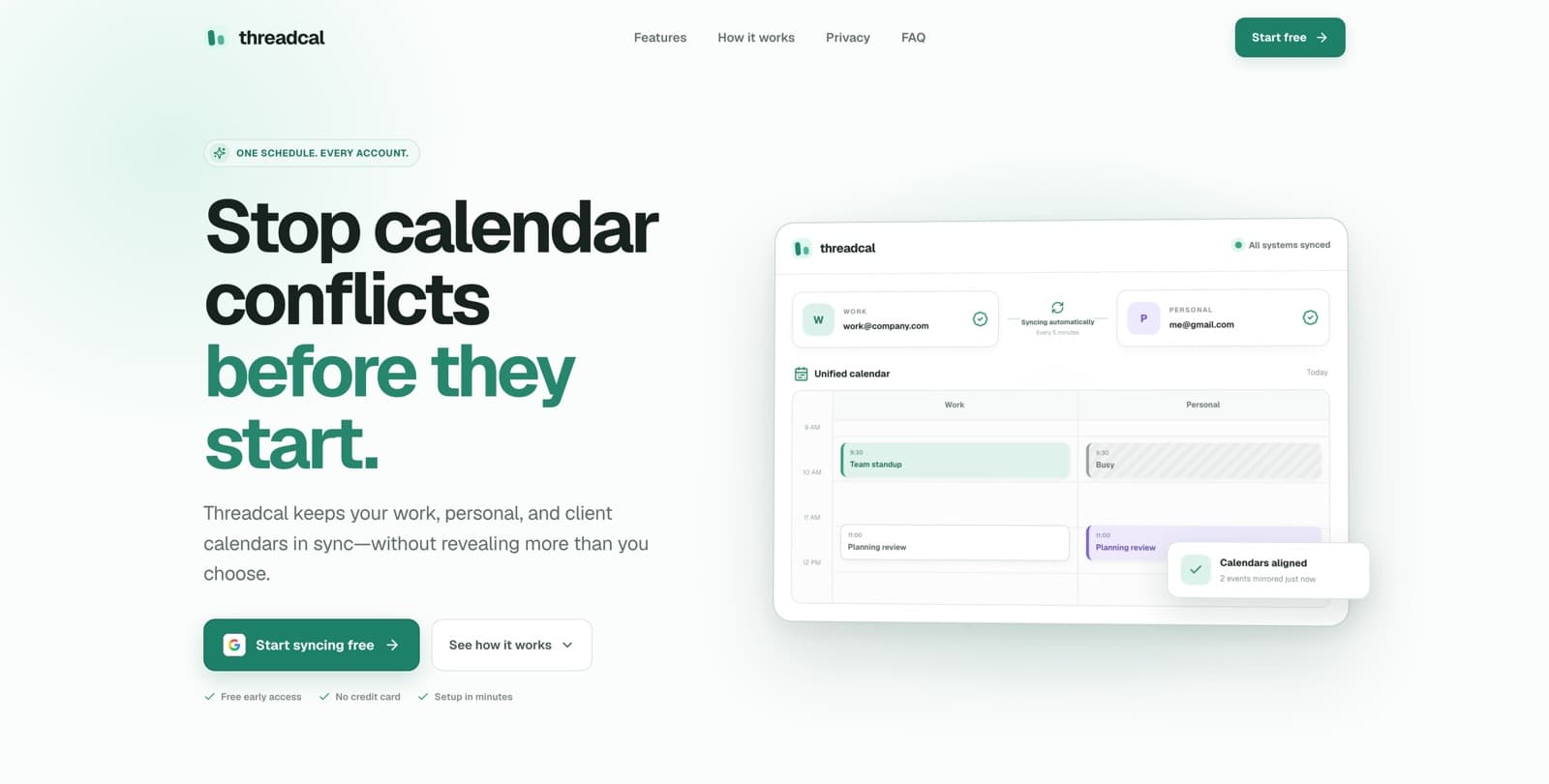
One schedule, every account — a work meeting appears on the personal calendar as a private 'Busy' block, mirrored automatically within five minutes.
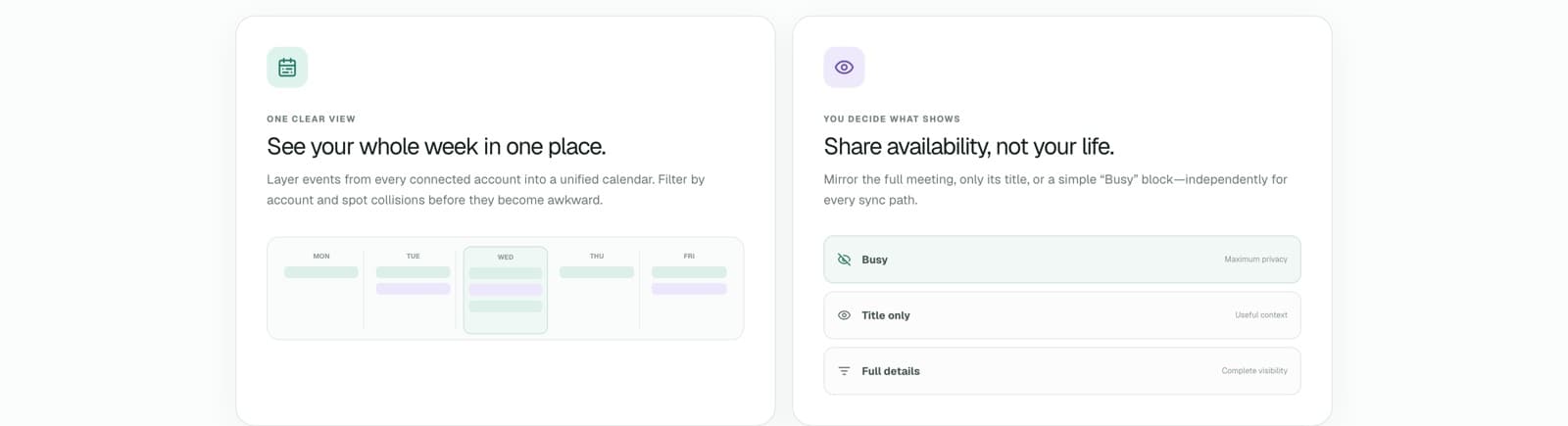
The heart of the product: a unified week view across accounts, and three per-rule privacy levels — Busy, Title only, or Full details.
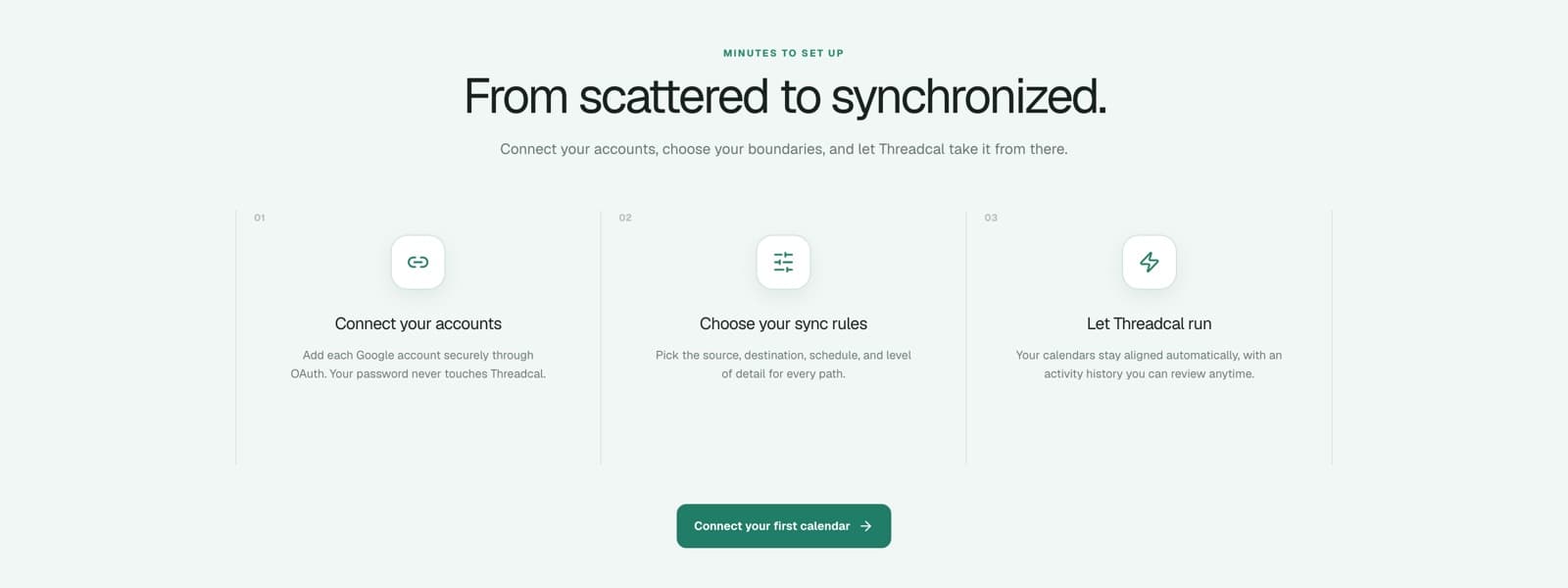
Setup takes minutes: connect Google accounts over OAuth, choose sync rules, and Threadcal runs on its own with a reviewable activity history.
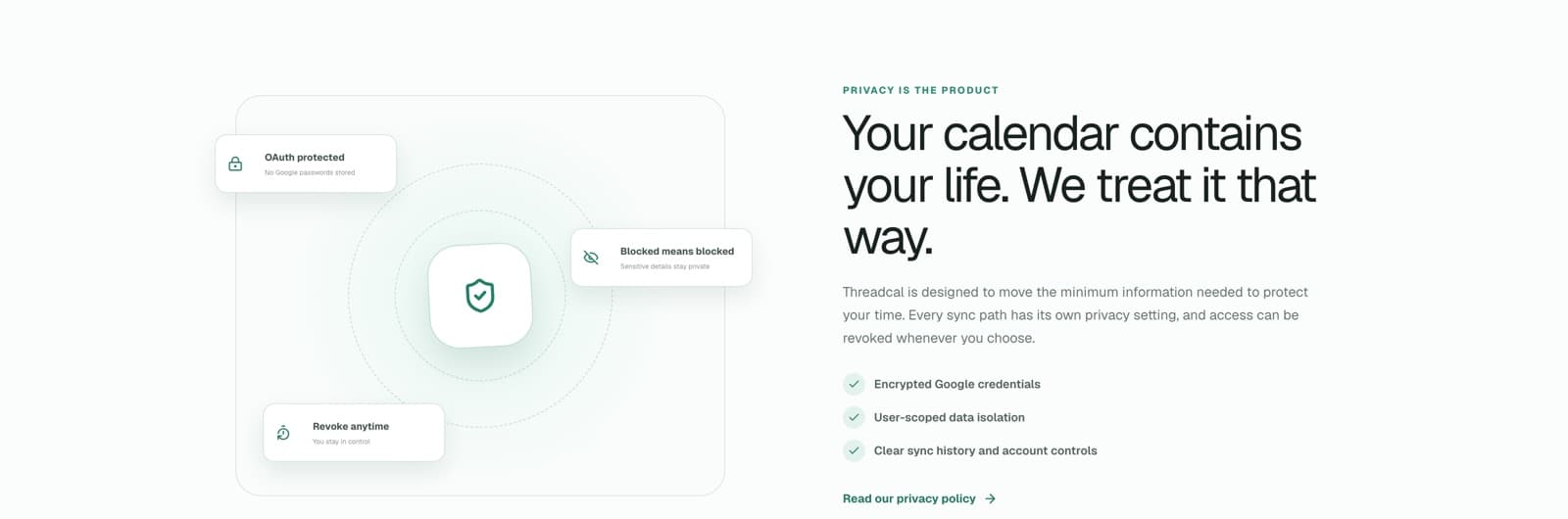
Privacy is the product — encrypted credentials, user-scoped data isolation, and access you can revoke at any time.
How it was built
Map → Model → Make → Monitor
Map
Mapped the multi-account overlap problem: where double-bookings actually come from, which details people are comfortable sharing across work, personal, and client boundaries, and why both full calendar sharing and manual copying fail in practice.
Model
Designed a sync-rules engine where each source-to-target pair carries its own privacy transform — blocked, title-only, or full details — on top of an idempotent mirroring core with cancellation handling and loop prevention, so synced events never duplicate or cascade.
Make
Shipped as a Next.js app on Vercel with Neon Postgres, Clerk authentication, and Google OAuth with PKCE. Google tokens are encrypted with AES-GCM at rest, a cron job syncs every five minutes, and calendar writes never send invitation emails or copy conferencing links and attachments.
Monitor
An activity feed shows every sync run and mirrored event, account health status flags connections that need re-authorization, and cancellations propagate automatically so mirrors never drift from their source calendars.
Why this matters
A calendar is only useful if it tells the whole truth. Threadcal makes multiple accounts behave like one honest schedule without giving up privacy at the boundaries — the kind of quiet, trustworthy automation that disappears into your day and just works.
FAQ
Threadcal — common questions
What is Threadcal?
Threadcal is a calendar synchronization tool that keeps busy time aligned across multiple Google Calendar accounts. It mirrors events between your accounts automatically so every calendar reflects your real availability, without merging or exposing the accounts to each other.
How do the privacy levels work?
Every sync rule chooses one of three levels for the events it mirrors: Blocked (just an opaque busy slot), Title only (the event name but no details), or Full details. That means your client calendar can show you're unavailable without revealing what's on your personal calendar.
Will my meeting guests get notified when events sync?
No. Mirrored events are created as private events with no guests, invitation emails are never sent, and conferencing links and attachments are never copied across accounts.
How often does Threadcal sync?
Automatically every five minutes, plus an on-demand sync whenever you want to push changes through immediately. Cancellations propagate too, so removed events disappear from their mirrors.
Is my calendar data secure?
Yes. Sign-in is handled by Clerk with secure sessions, Google access uses OAuth with PKCE, tokens are encrypted with AES-GCM before they're stored, and every query is scoped to your own workspace.
Want to build something like Threadcal?
Let's talk about how we can help you ship your AI product — from idea to live software.
Start a Project